



Magento 2 demo – test the storefront and the admin panel
For everyone who would like to see Magento in practice, we run a demo version of the platform. You can safely treat our demo as a testing ground of your own. The data is reset every 6 hours (6:00, 12:00, 18:00 and 0:00).
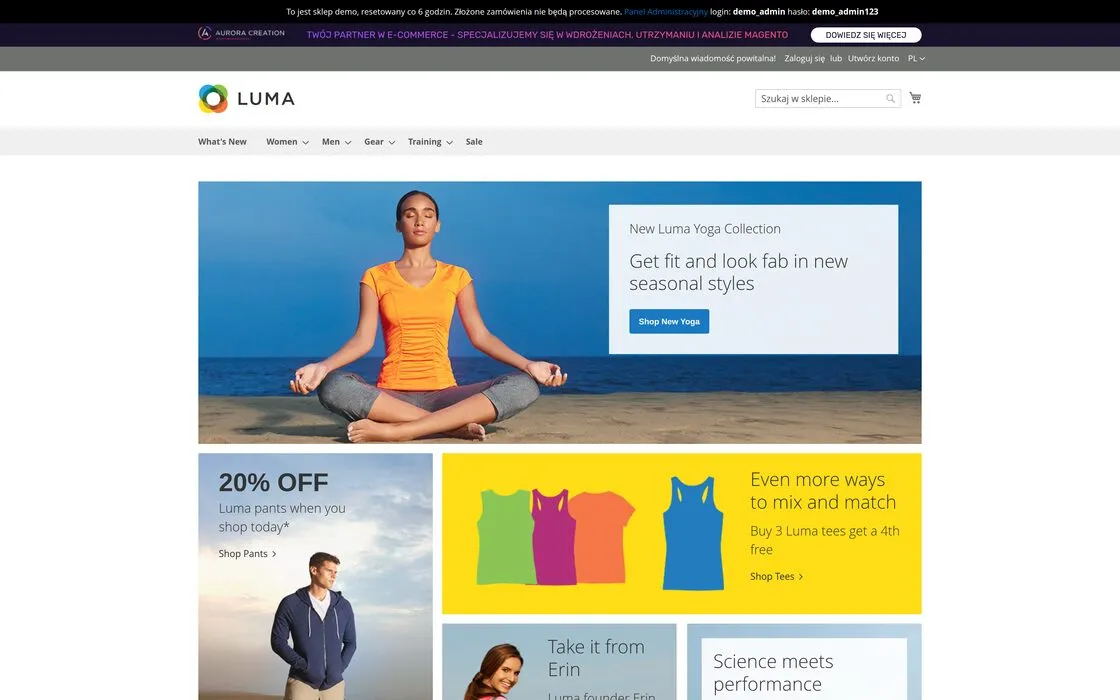
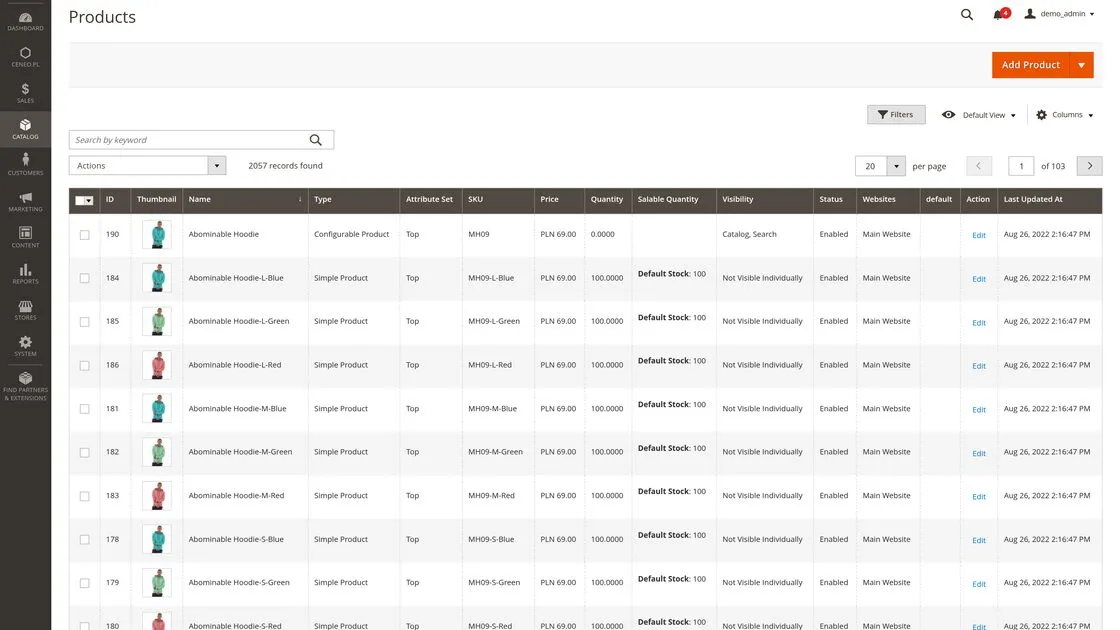
Screenshots of the demo, 30 July 2026
Magento 2 demo – about the environment
The store and the admin panel are open — there is no account to create and nothing to ask us for. The addresses, the username and the password copy with one click.
The store and the panel are public and shared by many people. Whatever you type, the next visitor sees — until the next reset.
- Demo version
- Magento Open Source 2.4.7
- Data
- Magento sample data
- Data reset
- Every 6 hours: 00:00, 06:00, 12:00 and 18:00
- Environment checked
- 31 August 2026
- Username
- demo_admin
- Password
- demo_admin123
The admin account is public and shared. Do not enter real customer, employee, company or payment data.
Start with the catalogue, a product and the cart
Browsing a demo at random says little about the platform. The scenarios below walk through the parts of standard Magento that usually matter in a first assessment.
- 01
Check how the catalogue is structured
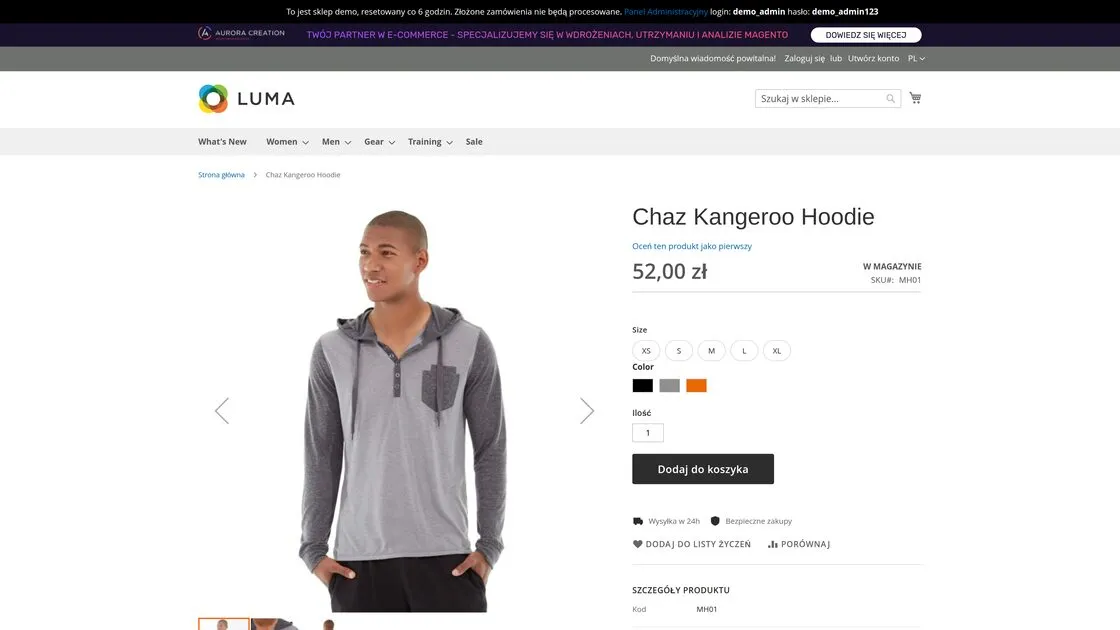
Open a category and go through to a product page. Look at where attributes, variants and the data the filters use are stored. The listing's design is only an example — the real navigation follows from the catalogue and from how customers search for products.
- 02
Switch the variant of a configurable product
A configurable product joins variants under one page: size, colour, material or another attribute. Check how the choice of a variant affects price, availability and the data on show.
- 03
Assemble a bundle product
A bundle shows the basic logic of composing a product out of several items, with a price range that depends on the choice. A richer configurator is separate logic, interface design and validation rules.
- 04
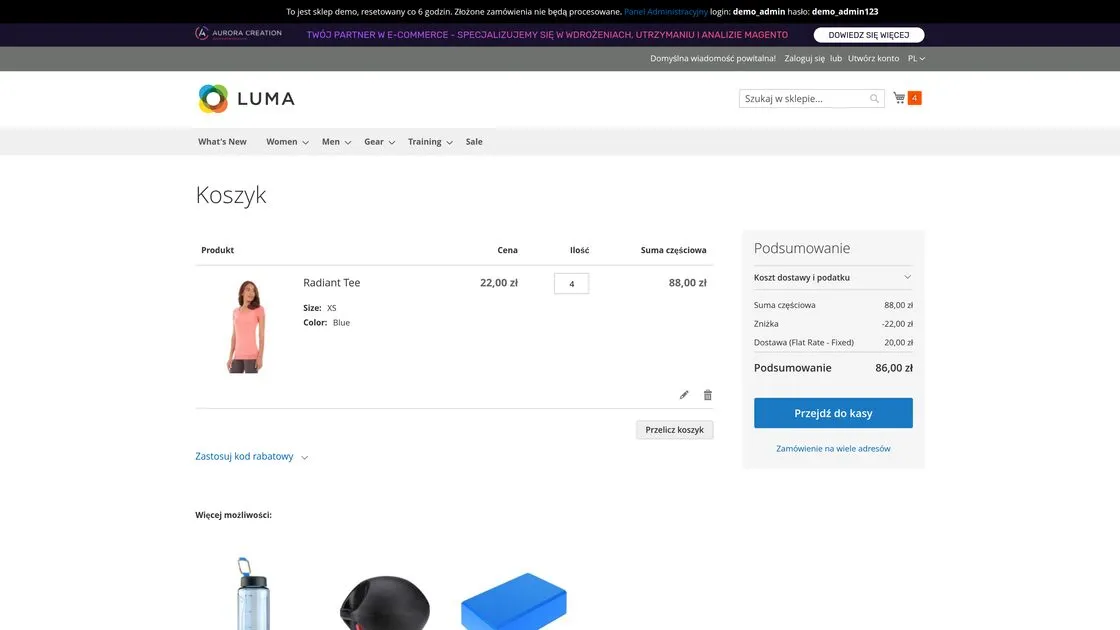
Add products to the cart and check the price rule
The environment runs a “buy three tee shirts and get the fourth free” rule. With four items the cart shows a discount equal to the price of one — we checked it on 30 July 2026.
The demo has two store views, Polish and English. Product names and content stay in English because they come from Magento's sample data, not from a translated store.
See how a team works with the catalogue and the content
The panel lets you check how products, price rules, pages and customer accounts are structured. The public account works on shared test data, which disappears at the reset.
Access to the environment
- Username
- demo_admin
- Password
- demo_admin123
The admin account is public and shared. Do not enter real customer, employee, company or payment data.
- 01
Product catalogue
See where the name, price, attributes, variants, visibility and stock data are kept. The grid shows a configurable product together with the simple variants behind it.
Path in the panelCatalog > Products
- 02
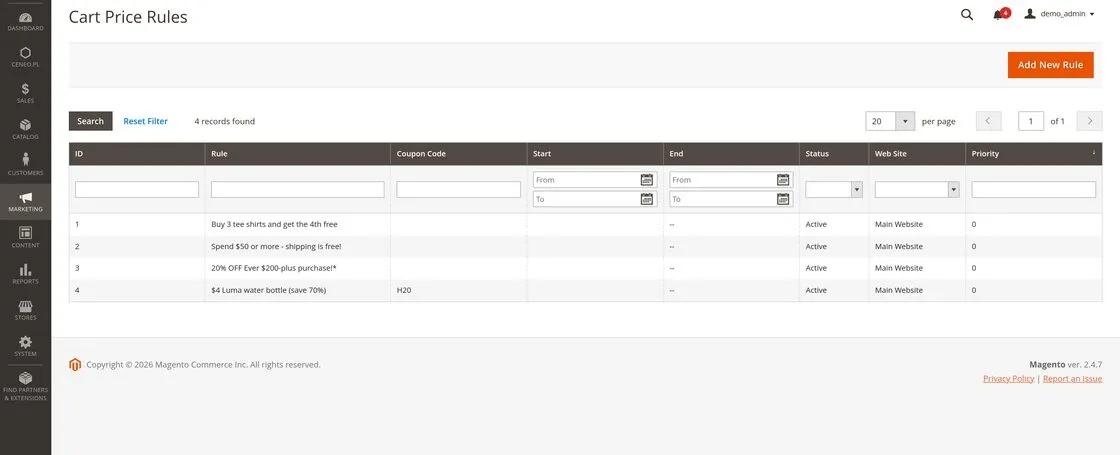
Cart price rules
Open the prepared promotion and check its conditions. In a real project the rules of a promotion have to be tied to margin, taxes, returns, customer groups and data from the ERP.
Path in the panelMarketing > Cart Price Rules
- 03
Pages and content
The environment has seven CMS pages from the sample data. How much content a team can edit on its own depends on the components and permissions prepared during the implementation.
Path in the panelContent > Pages
- 04
Customer accounts
The customer grid holds one test record from the sample data. Do not add real data — the account is public.
Path in the panelCustomers > All Customers
The panel has no stable addresses for its sections — Magento appends a security key valid for one session. That is why we give the paths through the menu rather than links.
Does the Magento 2 demo show a finished Aurora Creation store?
No. The demo presents base Magento Open Source with sample data and without any Aurora Creation extensions. It is there to show the standard capabilities of the platform, not the look or the full scope of a bespoke build.
The Magento Open Source demo
What you see once you use the buttons above: the platform as it ships. Beyond it there are only two add-ons serving the demo itself — the information bar and the Ceneo integration.
- the standard Magento features
- sample data
- the standard storefront
- the standard admin panel
An Aurora Creation build
The scope of a given project is settled before the work starts. It can cover any of the below, and none of it is visible in the demo.
- bespoke UX/UI
- a Hyvä front end
- data migration
- integrations
- bespoke functionality
- B2B
- D2C
- solutions matched to one company's processes
If you want to see what a platform looks like after a build, the demo is the wrong place — our own projects further down this page are the right one. The scope and the terms are on Magento 2 services, and a build with a Hyvä front end in a fixed scope runs as a Magento 2 build with Hyvä. A B2B build on Magento 2 and a D2C build on Magento 2 are scopes of their own.
What to look at while testing Magento 2
Clicking through a few pages does not answer whether the platform fits your company. Below are nine things the demo can genuinely show — and the ones that most often decide the scope of a build later.
- 01How products are managedOpen a product in the panel and see where the attributes, descriptions, images and filter data sit. This is the screen your team will work on every day.
- 02Variants and product typesCheck a simple, a configurable, a bundle and a downloadable product. The type decides what the product page, the cart and later sales reporting look like.
- 03The category structureWalk the category tree in the panel and see how it turns into the store's navigation and which products reach a listing.
- 04How promotions are configuredLook into the cart and catalogue price rules. You will see what can be set without a developer and what needs extra logic.
- 05Order handlingPlace a test order in the store and find it in the panel. Check which statuses, documents and operations the service side has.
- 06Customer managementLook at a customer record, the customer groups and the order history. Customer groups are the starting point for B2B price lists.
- 07CMS contentOpen a CMS page and a CMS block. You will see how much content a marketing team can change on its own, with no development.
- 08Store views and language versionsCheck the website / store / store view configuration. That mechanism is what serves several markets, languages and currencies from one instance.
- 09What working in the panel is likeFinally, judge the panel itself: the number of clicks, the search, the filtering and how fast a save is. How comfortable the team is running the store is a real cost, or a real saving.
The demo shows the platform as standard, so it answers “is Magento 2 even the right direction” well. “What exactly has to be built” is answered by Magento 2 – what it is and how it works and by a conversation about scope.
See Magento fitted to one brand and one way of selling
The public demo shows the platform's common standard. A case study shows how the catalogue, the buying process and the visual layer were built for a specific project.
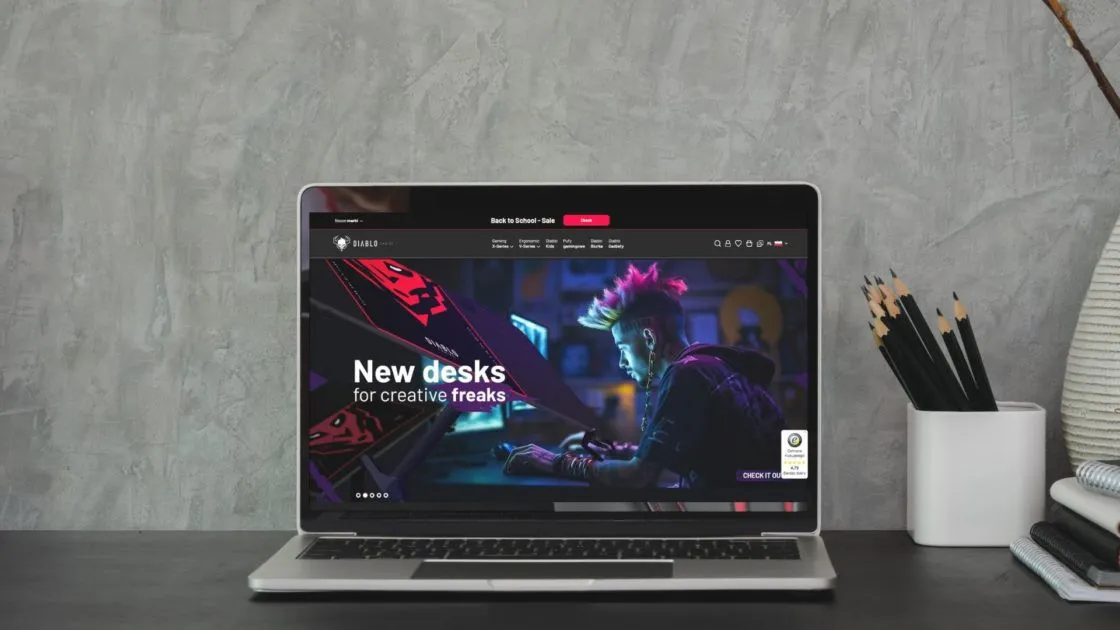
E‑commerce implementation
Diablo Chairs
A Magento 2 platform prepared for several brands and for sales in new markets. The scope and the results are described in the full case study.
See the Diablo Chairs implementation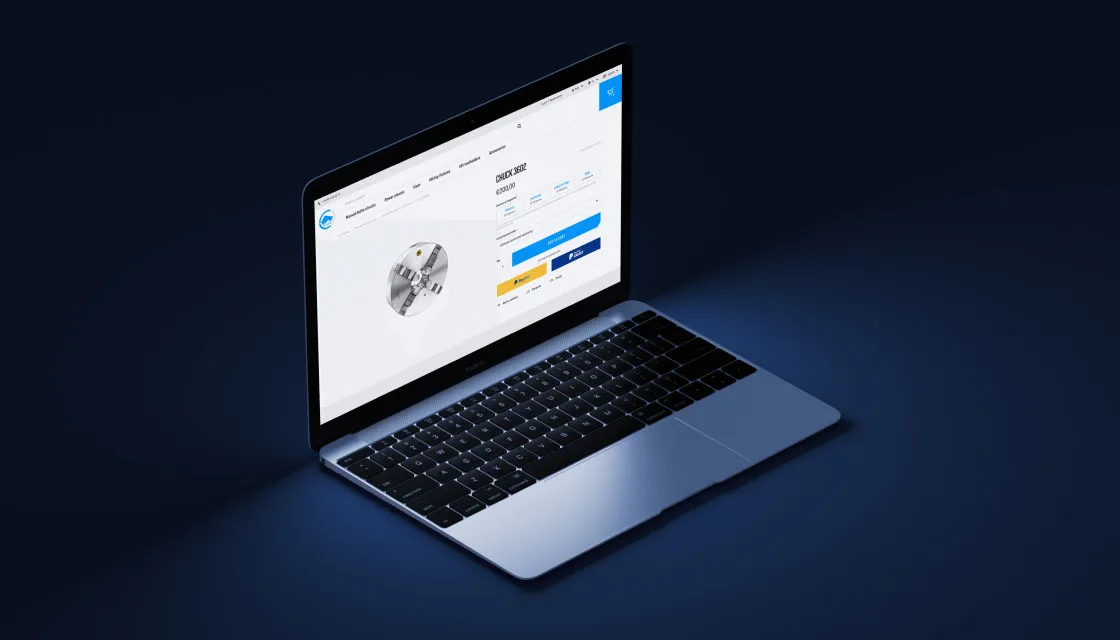
B2B and B2C implementation
BISON
The store of a lathe chuck manufacturer, with a technical catalogue and sales in several markets.
See the BISON implementation
Store completion
SklepBaterie
A taken-over, unfinished build: the fundamentals put in order first, then further growth.
See the store completionFAQ – Magento 2 demo
If your question is not here, ask it directly through the form below.
The demo answers questions about the platform's standard. Questions about your catalogue, integrations and processes stay for the conversation.
Let's discuss whether Magento fitsYes. The storefront and the admin panel are open and free, and need no account and no contact with us. The addresses, the login and the password are higher up this page.
The environment runs Magento Open Source 2.4.7 — the version the admin panel's own footer reports. It comes from one place in the site's code, so it cannot drift between sections. We last went through the environment on 31 August 2026.
Yes, the panel is open and the login works for anyone. It is the full Magento 2 admin panel rather than a screenshot — you can walk the catalogue, the orders, the customers, the price rules and the configuration.
Login: demo_admin. Password: demo_admin123. Both can be copied with one click in the "Magento 2 demo – about the environment" block at the top of this page. The account is public and shared, so do not put any real data through it.
The data is reset every 6 hours: at 00:00, 06:00, 12:00 and 18:00. The bar at the top of the demo store says so plainly. Anything you type stays visible to the next person until the next reset.
Yes. You can walk the whole path — listing, product page, cart and checkout — and then find the order in the admin panel. Payments are in test mode; do not enter real card or personal details.
The Aurora Creation demo runs on Magento Open Source. Features available only in Adobe Commerce are not installed on this environment, so they cannot be checked in it.
Not as the Adobe Commerce B2B extension — that is not installed on this environment. What you can check in standard Magento Open Source are the mechanisms B2B selling rests on: customer groups, price rules and the store view configuration. The full scope is described under a B2B build on Magento 2.
The terms and the scope are on Magento 2 services. A build with a Hyvä front end in a fixed scope and at a fixed price runs as AURORA ONE, where the figure is stated outright.
The environment runs Magento 2 Open Source 2.4.7 with sample data. You can check the storefront, the admin panel, the standard product types, CMS pages and four active cart price rules.
No. The store and the panel are public and shared, and anything entered stays visible to the next visitor until the next reset. Do not enter customer, employee, company or payment data.
No. The environment uses the sample Luma theme and sample data. A real project may have different navigation, listing, product page, checkout and customer account — the scope of the work on our side is described in the Magento 2 services.
There are no commercial solutions on it and no extensions written for clients — the environment runs on native Magento 2 Open Source features. Beyond them, the panel shows two additions of ours that serve the demo itself: the information bar and the Ceneo integration. We hand over the full list of installed modules on request.
The demo helps you get to know Magento's interface and basic logic. A platform decision should take in integrations, the catalogue, the sales model, markets, the cost of maintenance and growth plans — that is what a pre-implementation analysis is for. Before that, the conditions on the company's own side are covered in “Magento 2 – what it is and what it is for”. The rest of the material on implementing, migrating, maintaining and growing the platform is collected in the Magento Knowledge Centre.
Write to us through the form at the bottom of this page. Say whether the problem is with the store or with the panel, and at what time it happened — the environment returns to its initial state at the reset, so the time of the report matters.
Describe the process a public demo will never reproduce
Write how your sales work today and what the company wants to change. What you tell us about the platform, the integrations and the customer model lets us prepare the right questions for the first conversation.
The areas you tick reach us with the enquiry, so the conversation does not have to start with a general presentation of Magento.

Useful to have
- the current platform
- a B2C, B2B or D2C model
- the number of markets and brands
- ERP, PIM, WMS, CRM and marketplaces
- the biggest constraint of the current setup
- the change planned for the coming months
Enquiry sent
Thank you, we'll get back to you within 1 business day.
The enquiry has not been sent
We have marked the fields that need filling in or correcting.